
Scan to verify, twice
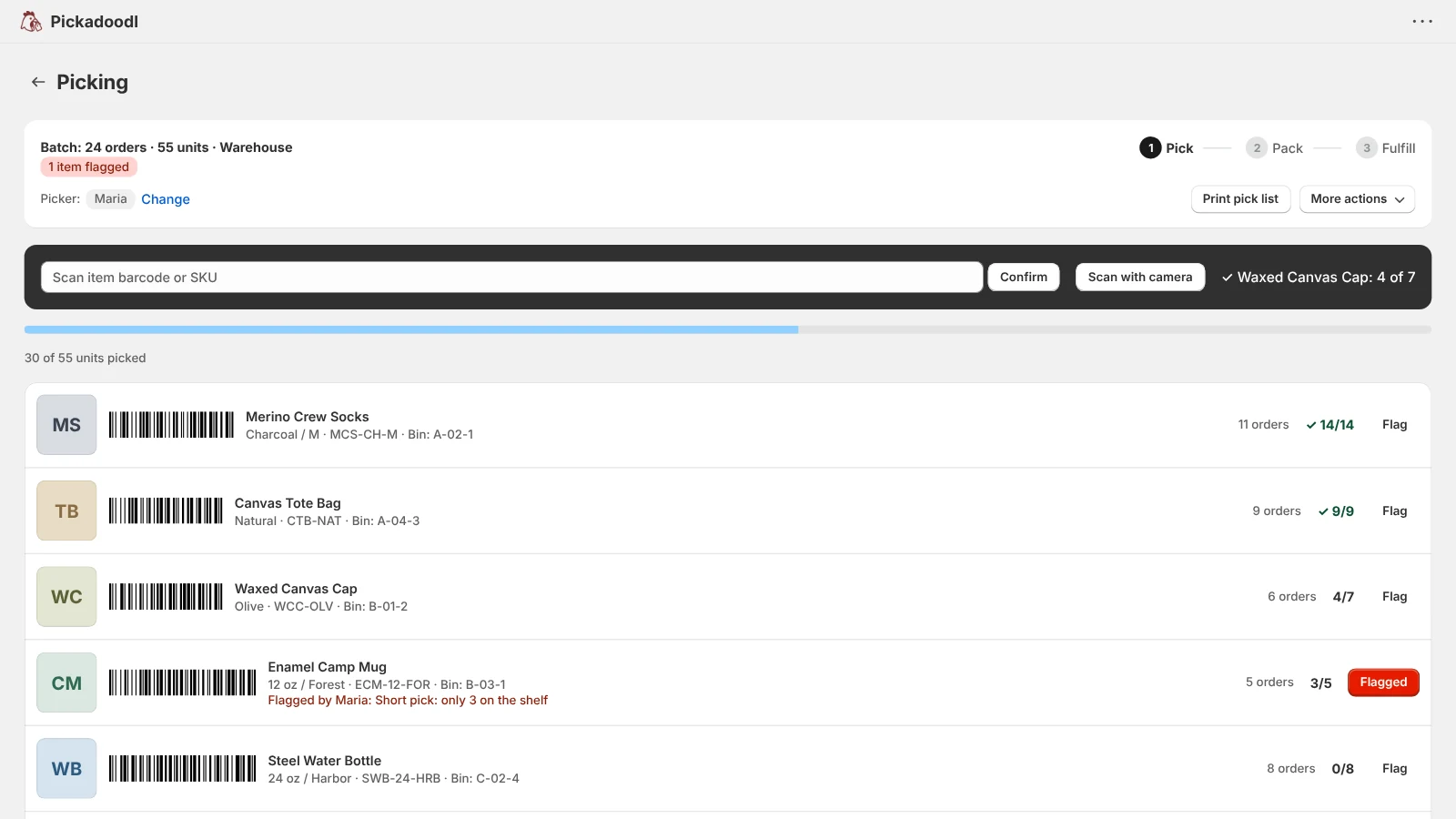
Confirm what was picked, then what was packed. Phone camera, handheld scanner, or typed SKU all work, and barcode aliases cover mismatched supplier codes.
Turn the day's orders into one batch your team picks, packs, and fulfills, by item or with a cart of totes, from their own phone with no Shopify login. Every item gets scanned, and on Pro, the shipping label is bought without leaving the batch.
Free up to 75 orders a month. Paid plans from $10.99, no per-order fees. Billed through Shopify.
Built and supported by one developer. Email me and you get me, not a ticket queue. Shane, DrippinCode
One person packing their own orders can get by with Shopify's built-in tools. Add a picker, a packer, and a few seasonal hires, and the questions change: who has this batch, what got skipped, and which box is missing an item?
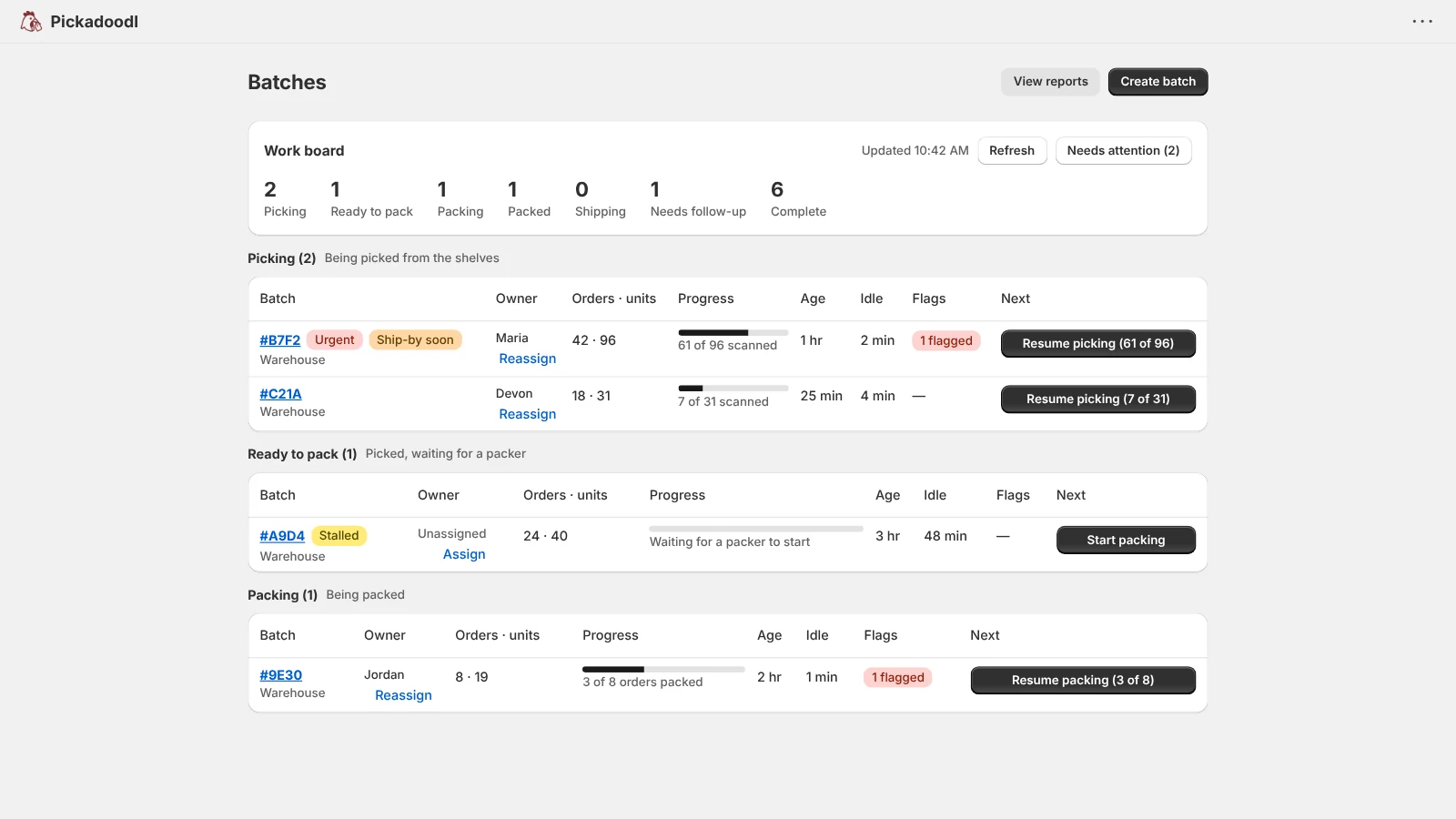
Pickadoodl is built for that team. A work board shows every batch, who owns it, and what's next. Staff pick and pack from their own phone through a work link, with no Shopify login. Short picks and damaged items become exceptions that hold the order back instead of shipping it wrong.
It's for Shopify teams that have outgrown a printed pick list but don't need a warehouse system. Every item gets scanned twice, at the shelf and at the box, so the wrong one gets caught before it ships.
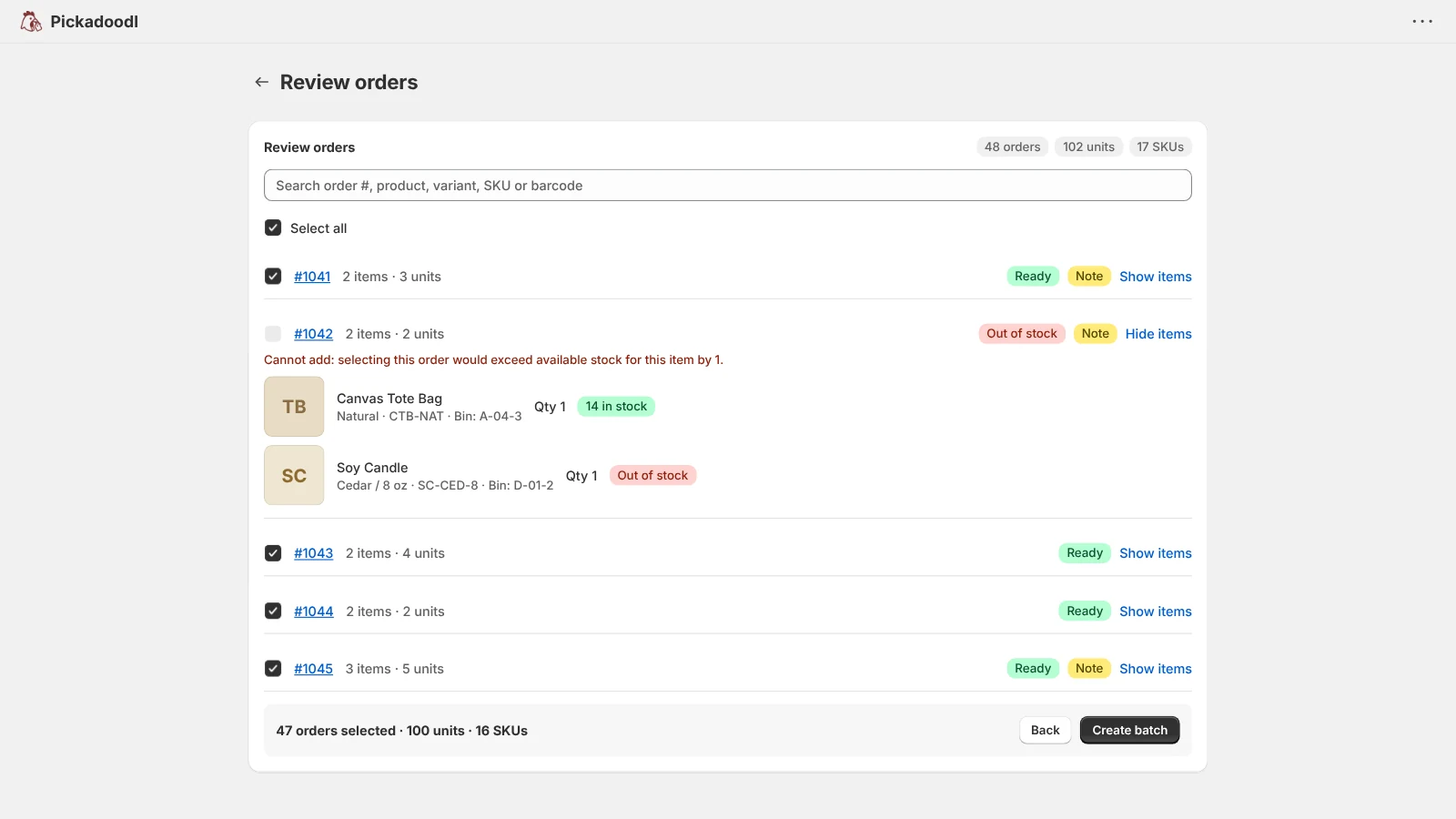
Filter by location, date, tags, or product type, or load a saved preset. Stock badges show what is short before you commit.
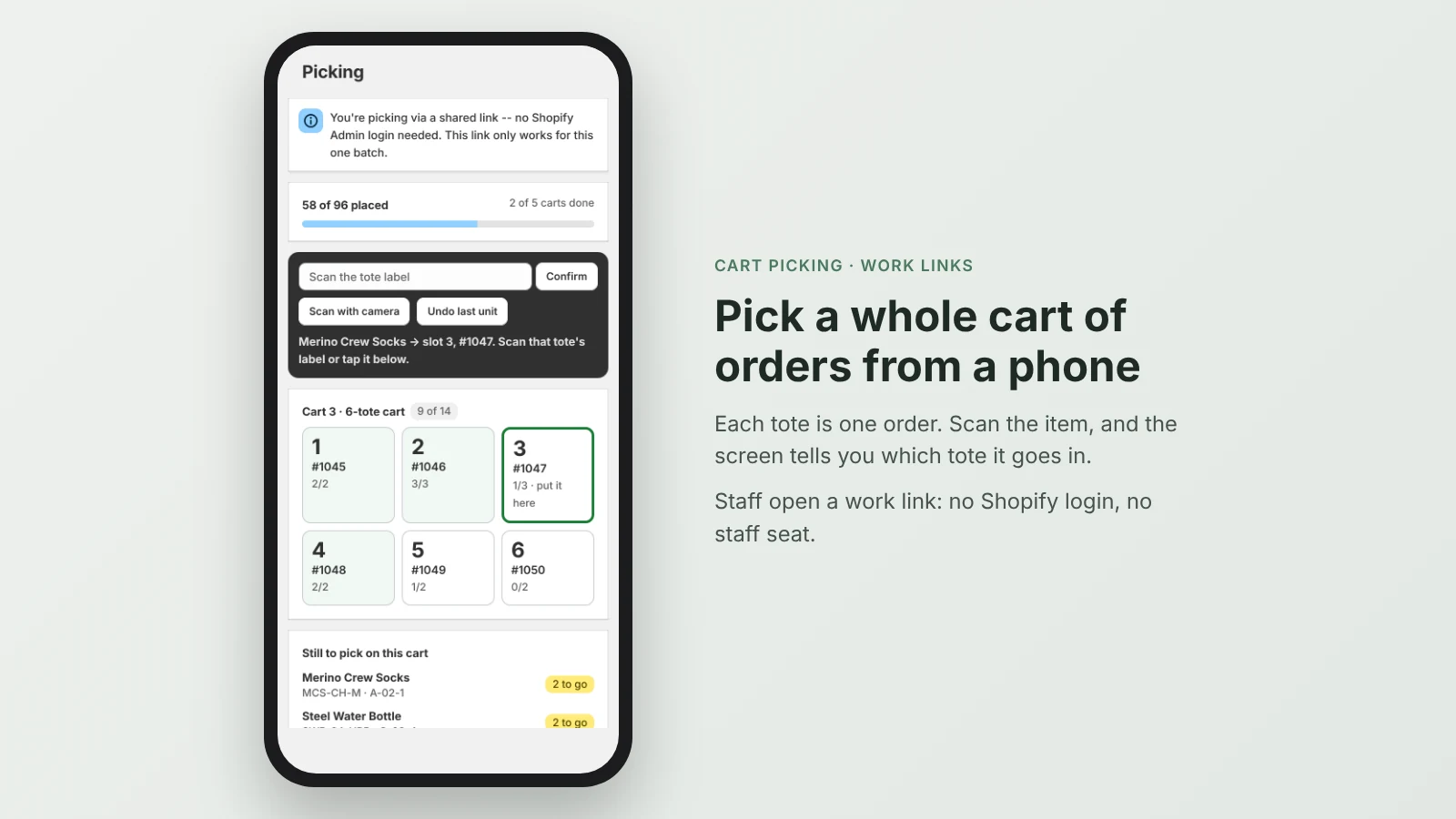
A bin-sorted list, or a cart with one tote per order. Scan with a phone camera or handheld scanner, or share a work link, and watch progress live.
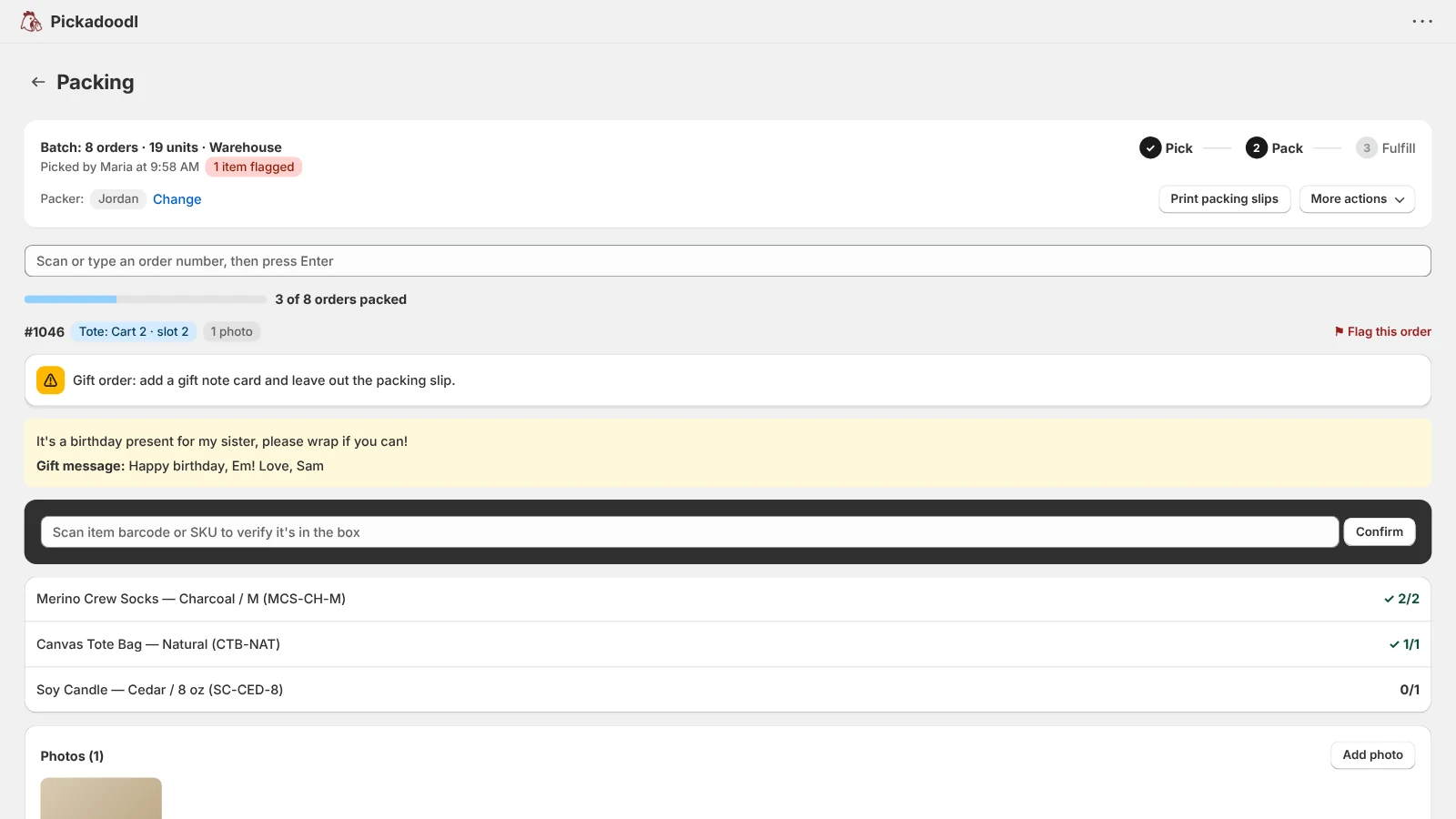
Scan again per order. Delivery notes and your own packing reminders appear automatically.
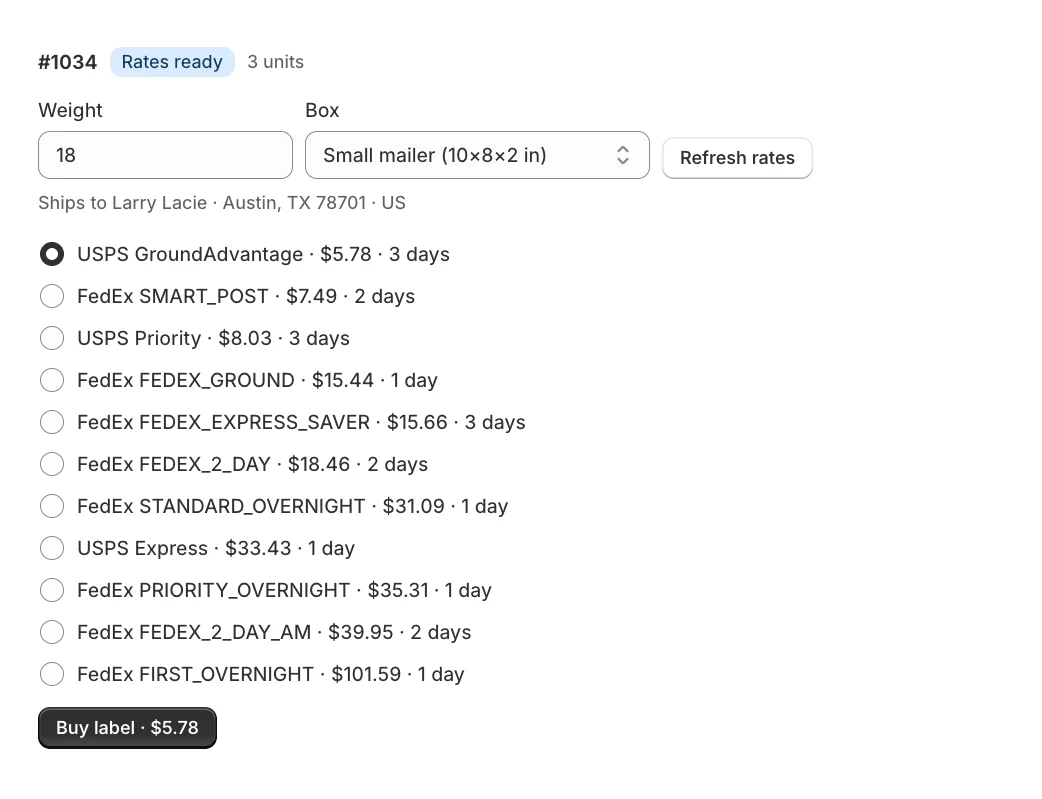
Compare carrier rates, buy the label, and print it. Optional, and off until you connect EasyPost.
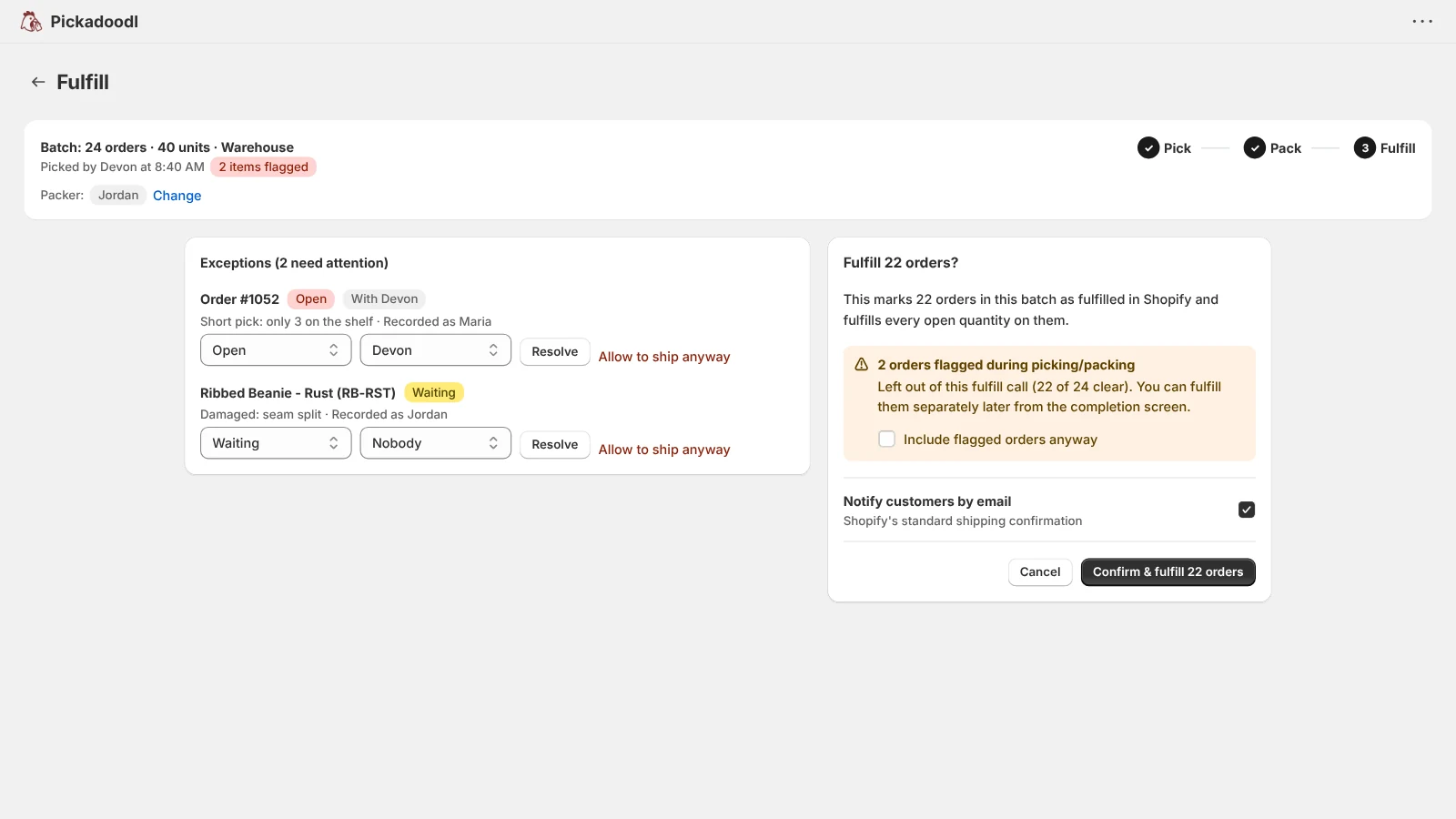
Mark the batch fulfilled from the app. Flagged orders are held back, and tracking goes to Shopify when labels were bought.
Confirm what was picked, then what was packed. Phone camera, handheld scanner, or typed SKU all work, and barcode aliases cover mismatched supplier codes.
Share a link to one batch for picking, packing, or both, so temp staff work from their own phone. Links expire on a schedule you choose, and you can revoke them anytime.
Put one tote per order on a cart and pick several orders in one walk. Scan the item, and the screen tells you which tote it goes in.
No batch to build. Scan the barcode on a packing slip, check each item into the box, and fulfill. The next slip is waiting. Quick pack
Record a serial per unit or a lot per line while packing, with optional lot formats and expiry checks. Copied to the Shopify order, searchable for recalls. Lot tracking
Every batch by stage, with an owner, how long it has sat idle, its flags, and the next action. Stalled and urgent batches stand out.
Flag a short pick, damaged item, backorder, or skip with a reason. Each one gets a status and an owner, and the order is held out of fulfillment until it's resolved or you allow it to ship.
If Shopify rejects an order or a call times out, you see exactly which orders and why, and retry only those. Every attempt is recorded.
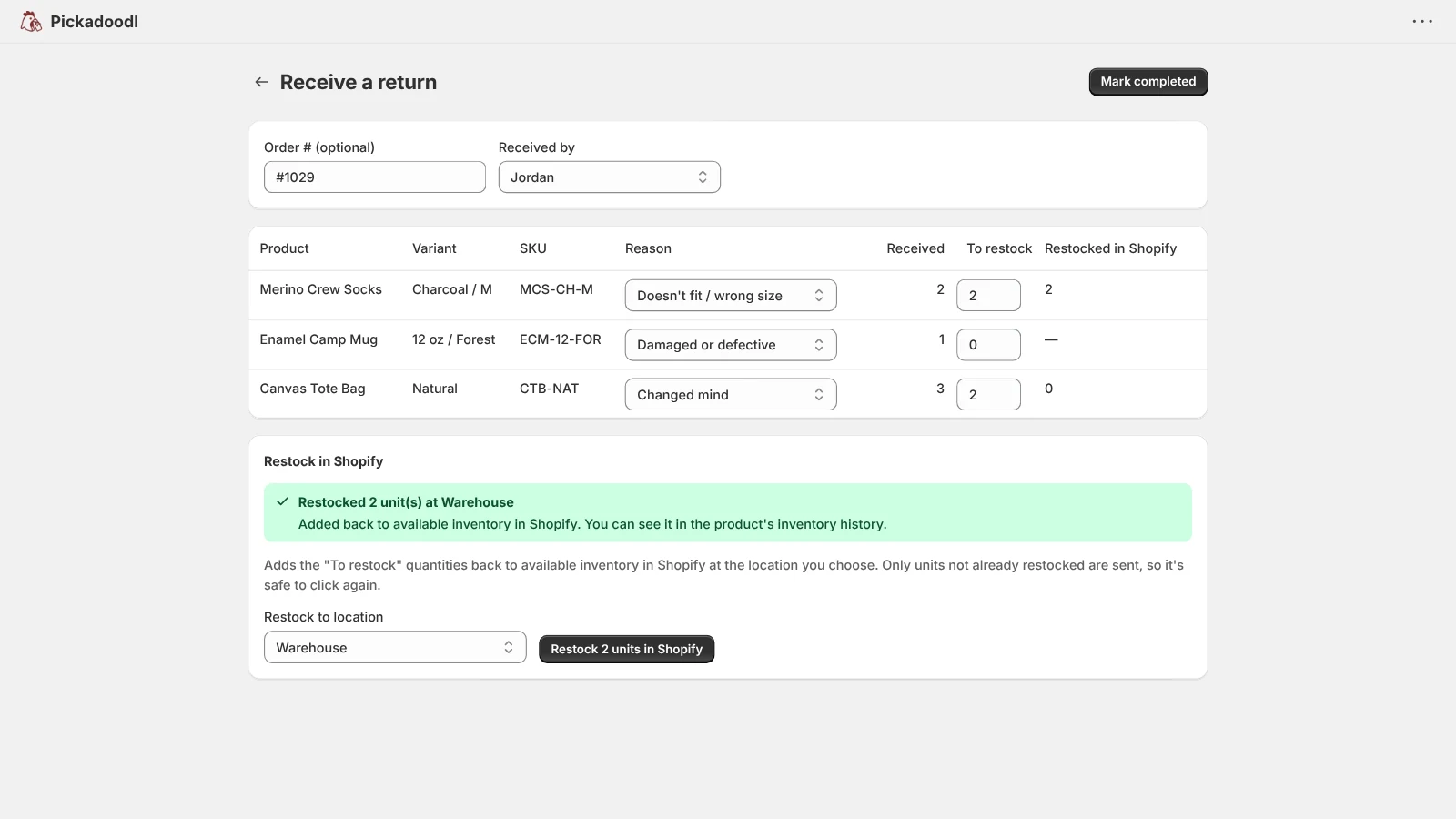
Receive items back, log the reason, and restock sellable units into Shopify in one click, once only. Insights show what comes back and why.
Branded slips in your customer's language, with an order barcode Quick pack scans, plus optional packing photos kept for 90 days as evidence if a customer disputes an order.
Import your team, barcode aliases, order check rules and serial or lot products from a CSV. Every row is previewed before anything is saved.
See who did what and when, reprint any list or slip, and tag orders after the fact. Shopify Flow triggers and actions, plus Slack or email alerts, hook it into how you work.
Enter a weight and box as you pack. The Ship step shows carrier rates for each order, and you buy and print the label right there, one order or many at once.
The work board, a stock check before the batch, picking by item or by cart, packing, exceptions, and returns. Shown with sample data from a demo store.
Every plan includes the full pick, pack, and fulfill workflow. Plans differ by monthly orders, and shipping labels are on Pro.
No per-order fees on any plan. Plans are managed and billed through Shopify, and postage, if you use labels, is billed by EasyPost. Compare plans
Yes, on the Pro plan. Connect your own EasyPost account in Settings, enter a weight and box as you pack, and the Ship step shows rates for each order. Bought the wrong label? Void label asks EasyPost to refund it. Orders going abroad get a customs form filled in from the order, and an order that ships in several boxes gets a label per box.
No. Shipping is optional and off until you connect EasyPost. If you already use ShipStation or another tool, pick and pack here and keep shipping there.
There is a genuinely free plan for up to 75 orders a month with the full pick, pack, and fulfill workflow. Standard is $10.99/month for up to 1,000 orders a month, and Pro is $19.99/month for unlimited orders, plus shipping labels. Plans are managed and billed through Shopify.
Yes. Share a work link for one batch, for picking, packing, or both, and anyone can use it from their own phone or tablet. Links expire automatically and can be revoked.
Maybe not, if one person picks and packs. Shopify's batches, added in October 2026, group up to 250 orders, print one pick list, and scan items to verify them, with each step assigned to a staff member. Pickadoodl is built for a team: work links with no Shopify login, carts of totes, exceptions with owners that hold orders back, a work board, and returns with restock. Try both on a real day's orders and keep what fits.
Yes. Work links, the screens staff pick and pack on, come in 13 languages: English, German, Spanish, French, Hungarian, Italian, Japanese, Norwegian, Dutch, Polish, Portuguese (Brazil and Portugal) and Ukrainian.
No. Your phone's camera works from the Pick workspace. Handheld scanners and typing a SKU work too.
Yes. Mark orders fulfilled the moment they are packed, without switching over to Shopify admin. Flagged orders are held out by default.
Yes. Receive items back by scanning or searching, choose a reason, and restock the sellable units into Shopify with one click. It never restocks the same return twice. On Pro, you can also send the customer a prepaid return label. How returns work
Yes. Pickadoodl adds three triggers (Batch ready to pack, Exception raised, Return received) and two actions (Create a batch from a preset, Add order to an open batch).
For a handful of orders, it might be. Shopify's Order Printer prints pick lists by order or by product for free. It's a printed list, though: it doesn't verify each item with a scan at pick and pack, carry the batch through packing and fulfillment, or give temp staff a no-login picker link. Those are what Pickadoodl adds. Pickadoodl vs Order Printer
Yes, with Quick pack. Scan the order barcode on its packing slip or type the order number, scan each item into the box, and fulfill. Pickadoodl checks the order in Shopify first and stops cancelled, on-hold or already-fulfilled orders. How Quick pack works
Yes, on every plan. Choose the products that need them, and packing asks for a serial per unit or a lot per line right after the item is scanned. The numbers are saved to the Shopify order, and Reports shows every order a number went to. How lot tracking works
Pickadoodl keeps pick, pack, ship, and fulfill in one flow for a team: a work board with owners, cart picking, work links, scan-to-verify at pick and pack, Quick pack for single orders, serial and lot tracking, and exceptions that hold orders back. You also get a free plan up to 75 orders a month, no per-order fees, and one developer who answers your email. See comparisons

Install Pickadoodl free and run your first batch today. If anything trips you up, email me. I read every message.
Install free on Shopify