
Features / Quick pack
Scan the slip, check the box, ship it
Quick pack is for packing one order at a time, with no batch to build first. Scan the barcode on a packing slip, scan each item as it goes in the box, and fulfill. The next slip is already waiting.
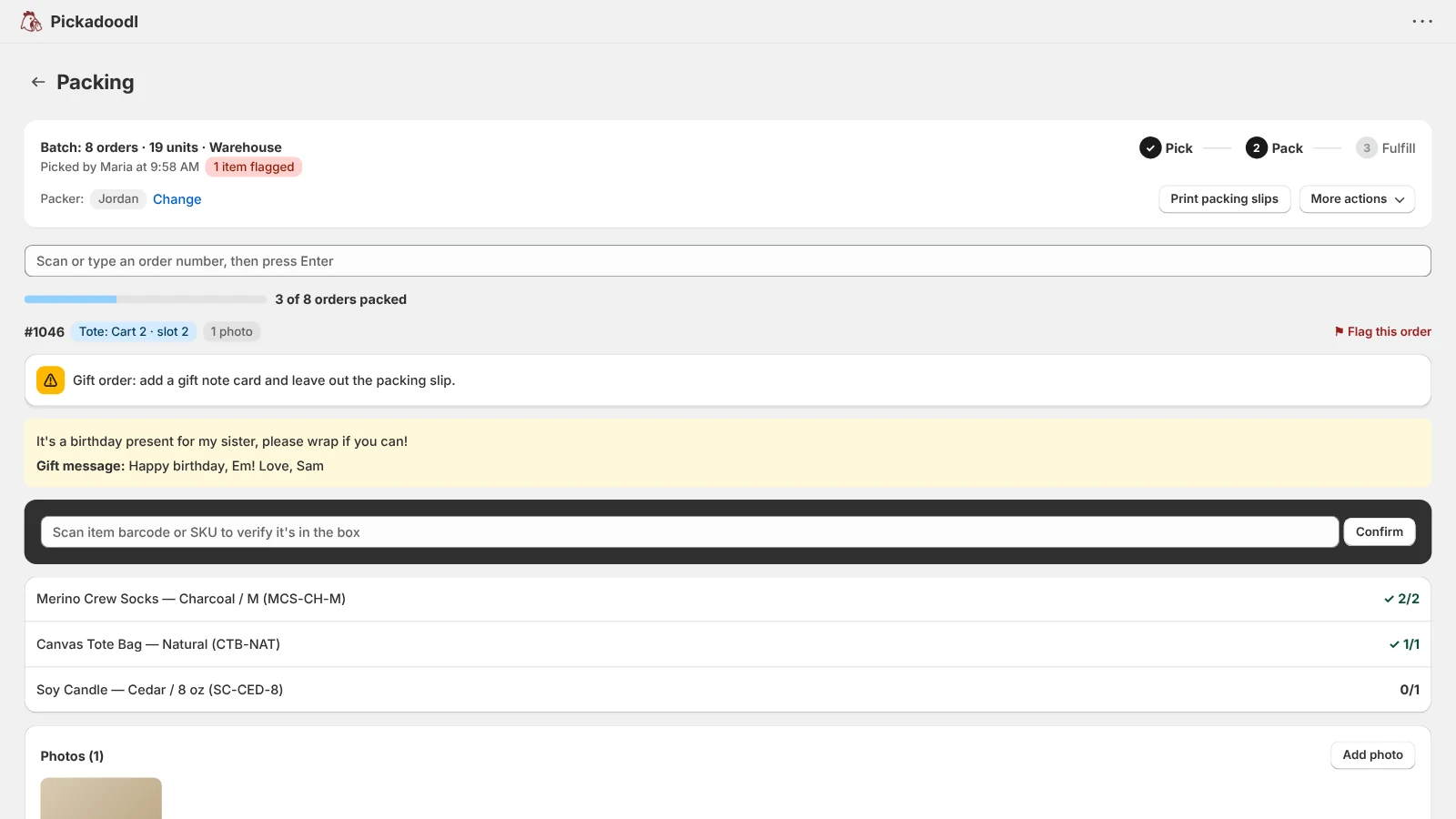
For the stores that pack as orders come in
A lot of shops don't batch. One or two people pack at a table as orders arrive: pull the slip, put the right things in the box, ship it. Batches are the right shape for a team on a busy day. For everyone else, Quick pack skips straight to the part that matters, which is not sending the wrong thing.
How it works
- Open the order. Scan the order barcode printed on every Pickadoodl packing slip, or type the order number. #1001 and 1001 both work.
- Check each item. Scan every item into the box. Barcode aliases, the type-a-count shortcut, order check rules, photo rules and your packing notes all apply, the same as in a batch.
- Fulfill and go. Finish packing, then fulfill the order in Shopify, and scan the next slip. On the Pro plan with carrier shipping set up, you weigh and box the order and buy its label in the same flow.
Checked before it opens
Pickadoodl looks at the order in Shopify first. A cancelled, on-hold or already fulfilled order is stopped with the reason, and an order that's already in a batch gives you a link to that batch instead. If part of an order was fulfilled before, you're only asked to pack what's left.
When something's wrong
Flag the order with a reason, like a damaged or missing item. A flagged quick pack can't be finished until the flag is cleared or resolved, so a problem order can't slip out on a busy afternoon. Changed your mind? Release order closes the quick pack without fulfilling anything, so the order can be packed again or put in a batch.
Counted with everything else
Quick packs show in Reports and Analytics, count toward accuracy and team performance, and get their own pack time per order. If you track serial or lot numbers, Quick pack asks for them too.
Questions
Do I need to print Pickadoodl's packing slips?
They're the fastest way in, because each slip carries a barcode of its order number. You can also type the order number into Quick pack, so any slip works.
Is Quick pack on the free plan?
Yes. Every plan includes Quick pack, and each quick pack counts toward your monthly orders the same way a batched order does.
Can staff use Quick pack from a work link?
Not today. Finishing a quick pack fulfills the order in Shopify, and work links can't fulfill, so Quick pack is in the Shopify admin. Work links still cover picking and packing in batches.
Should I use Quick pack or batches?
Both, if you like. Quick pack suits one person packing orders as they come in. Batches suit a team picking a day's orders together, especially with carts and totes.

Try it on your own orders.
Free up to 75 orders a month, with every feature. If anything trips you up, email me. I read every message.
Install free on Shopify