
Features / Scan to verify
Scan every item twice, so the wrong one never ships
Pickadoodl verifies each unit when it's picked and again when it goes in the box. A phone camera, a handheld scanner or a typed SKU all work.
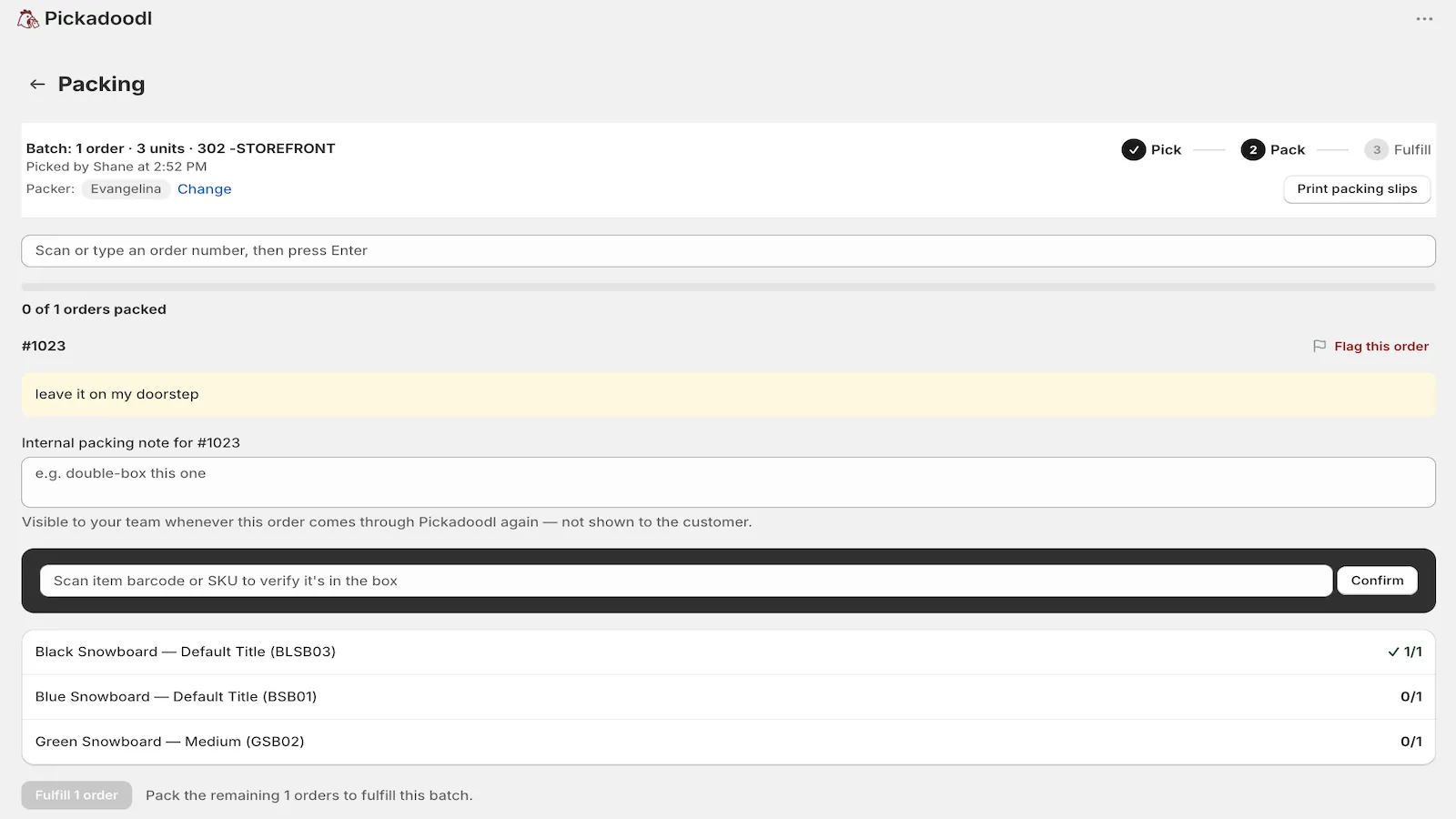
Two checks, two different mistakes
Most mis-ships happen in one of two places. Either the wrong item comes off the shelf, or the right items go into the wrong box. One scan can't catch both, so Pickadoodl scans twice.
- At the shelf. Scanning a barcode or SKU checks off units on a bin-sorted pick list. The count only moves when the item matches.
- At the box. Packing goes order by order. Each item is scanned to confirm it belongs in that order before the order can be marked packed.
Works with what you already have
- Phone camera. Open a batch's picker link in a phone browser and scan with the camera. No app to install and no Shopify login.
- Handheld scanner. Any USB or Bluetooth scanner that types into a field works anywhere, including inside Shopify admin.
- Typed SKU. No barcode on a product? Type the SKU and it counts the same way.
- Barcode aliases. If two suppliers ship the same product with different barcodes, register the extras as aliases. Any of them scans as a match while picking, packing and receiving returns.
When something's wrong, it gets flagged, not shipped
If an item is short, damaged or on backorder, the picker or packer flags it with a reason. Every order that needs that item becomes an exception and is held out of fulfillment until someone resolves it. Nothing with a known problem goes out by accident.
See how accurate your team is
Analytics shows exceptions, clean-batch rate and per-person pick and pack times. Once there's enough volume, it surfaces patterns, like a bin behind a lot of damaged-item flags or a SKU with recurring short picks.
Questions
Do I need a barcode scanner?
No. A phone camera works from a batch's picker link, and you can type SKUs. A handheld scanner is faster on a busy day, and any scanner that types into a field works.
Why doesn't camera scanning work inside Shopify admin?
Browsers block camera access for apps embedded in Shopify admin. Open the batch's picker link in a normal browser tab and the camera works. Handheld scanners work everywhere.
What if a product has no barcode?
Type or scan its SKU instead. You can also add barcode aliases for products that arrive with different supplier codes.

Try it on your own orders.
Free up to 75 orders a month, with every feature. If anything trips you up, email me. I read every message.
Install free on Shopify