
Features / Bin-sorted pick lists
One pick list for every order, sorted by bin
Batch any number of Shopify orders, past the 50-order bulk limit, into one list sorted by bin location, so your team walks the aisles once.
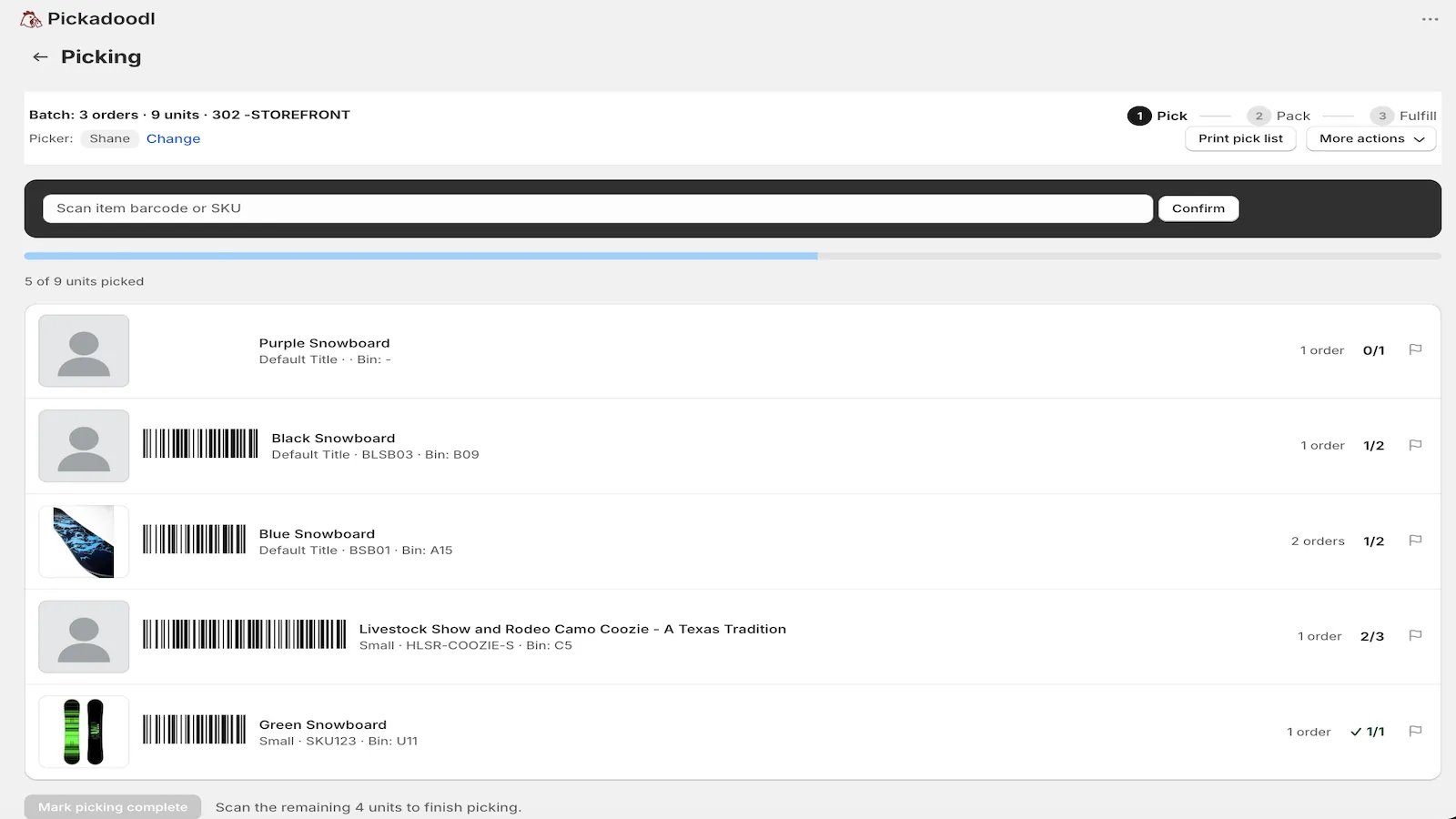
Built for how pickers actually walk
Tell Pickadoodl which product metafield holds your bin location (like Bin Name). The pick list then sorts by bin in natural order, so A2 comes before A10, then by SKU. Your team works top to bottom and walks each aisle once. No bins set up yet? It falls back to a plain SKU sort.
Any number of orders in one batch
Shopify's bulk actions work 50 orders at a time. A Pickadoodl batch has no order limit. Filter unfulfilled orders by location, product type, tags or date range, save the filters as a preset, and build the whole day's batch in one go.
- Each line shows demand and stock: how many orders need the item and how much is available.
- Stock badges before you commit: the review screen marks orders Ready or Out of stock, and blocks an order that would exceed available stock.
- No double picking: an order can only be in one open batch. If it's already in another, Pickadoodl tells you which one.
- Bundles explode: a bundle line becomes its component items on the pick list, while packing and the slip still show the bundle.
Print it, scan it, or both
Print the classic pick list, export it as CSV or XLSX, or work it on screen with scanning. Progress saves automatically, so a picker can close the tab and come back. Picking for several orders at once? Use cart and tote picking.
Questions
Can I pick more than 50 orders at once in Shopify?
Not with Shopify's bulk actions, which work 50 orders at a time. Pickadoodl builds one batch from any number of unfulfilled orders and gives you a single pick list for all of them.
Where does the bin location come from?
From a product metafield you choose in Settings, such as Bin Name. If you don't use bins yet, the list sorts by SKU.
Can I print the pick list?
Yes. Print the classic layout, or export the same bin, SKU and quantity data to CSV or XLSX.

Try it on your own orders.
Free up to 75 orders a month, with every feature. If anything trips you up, email me. I read every message.
Install free on Shopify